# 错误示例: ```shell sh: warning: setlocale: LC_ALL: cannot change locale (en_US.UTF-8) sh: warning: setlocale: LC_ALL: cannot change locale (en_US.UTF-8) /bin/bash: warning: setlocale: LC_ALL: cannot change locale (en_US.UTF-8) ``` 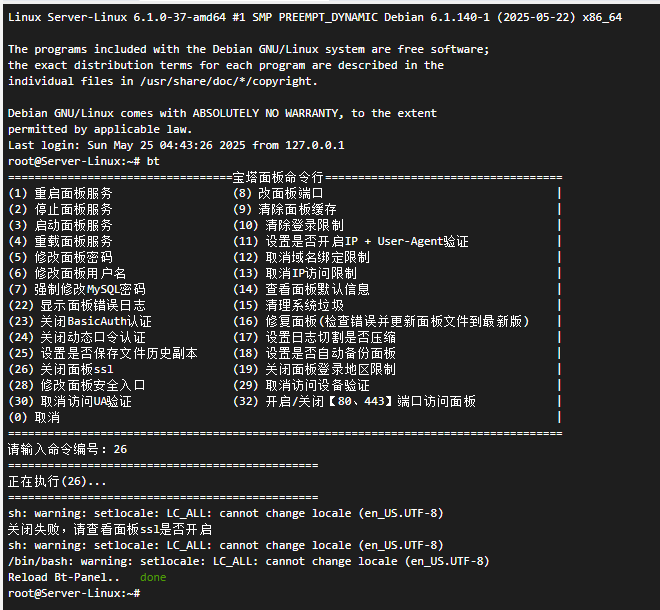 # 解决办法: 1. **确保 locales 包已安装** ```shell sudo apt update sudo apt install locales ``` 2. **配置语言环境** 1. **执行以下代码配置语言环境** ```shell sudo dpkg-reconfigure locales ``` 2. **在出现的菜单中,选择:** en_US.UTF-8(英文) 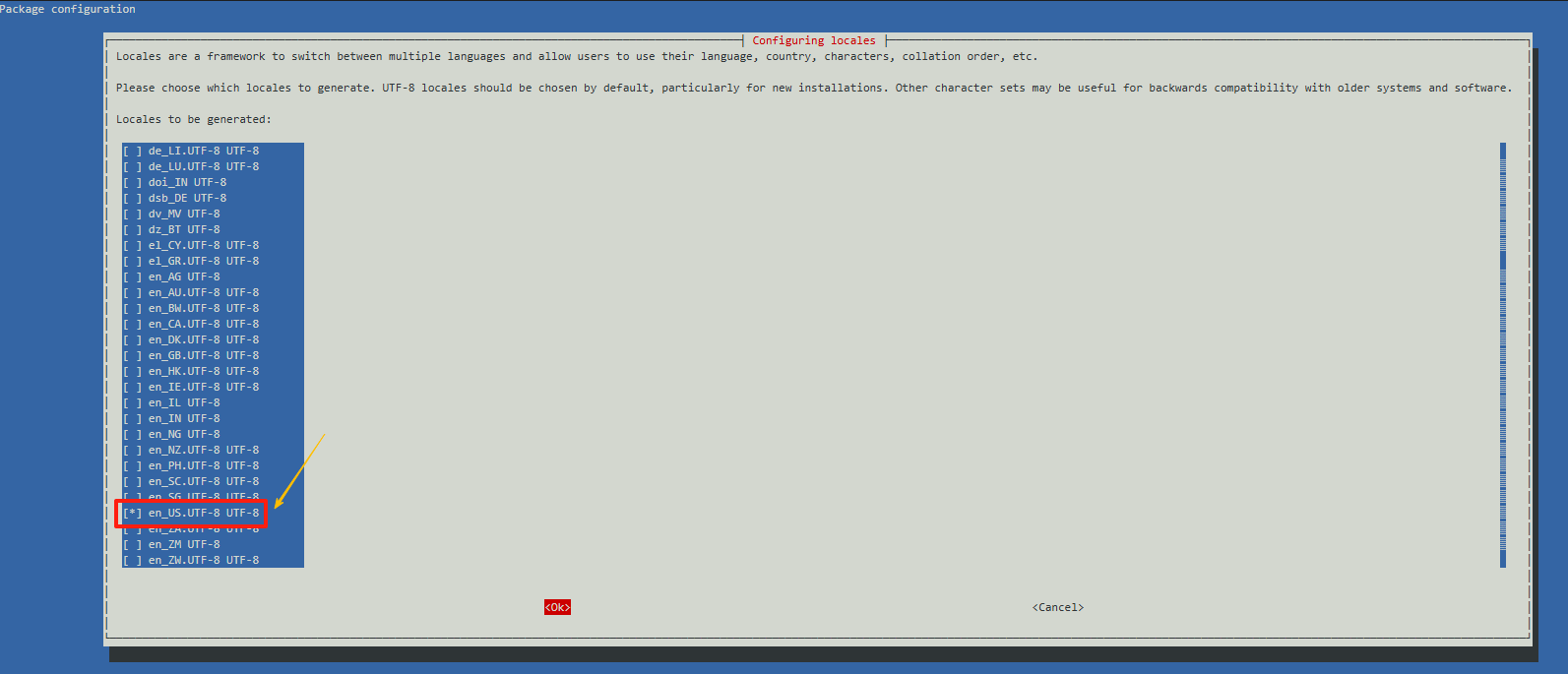 3. **配置默认语言**(需要默认使用哪个语言就选哪个) 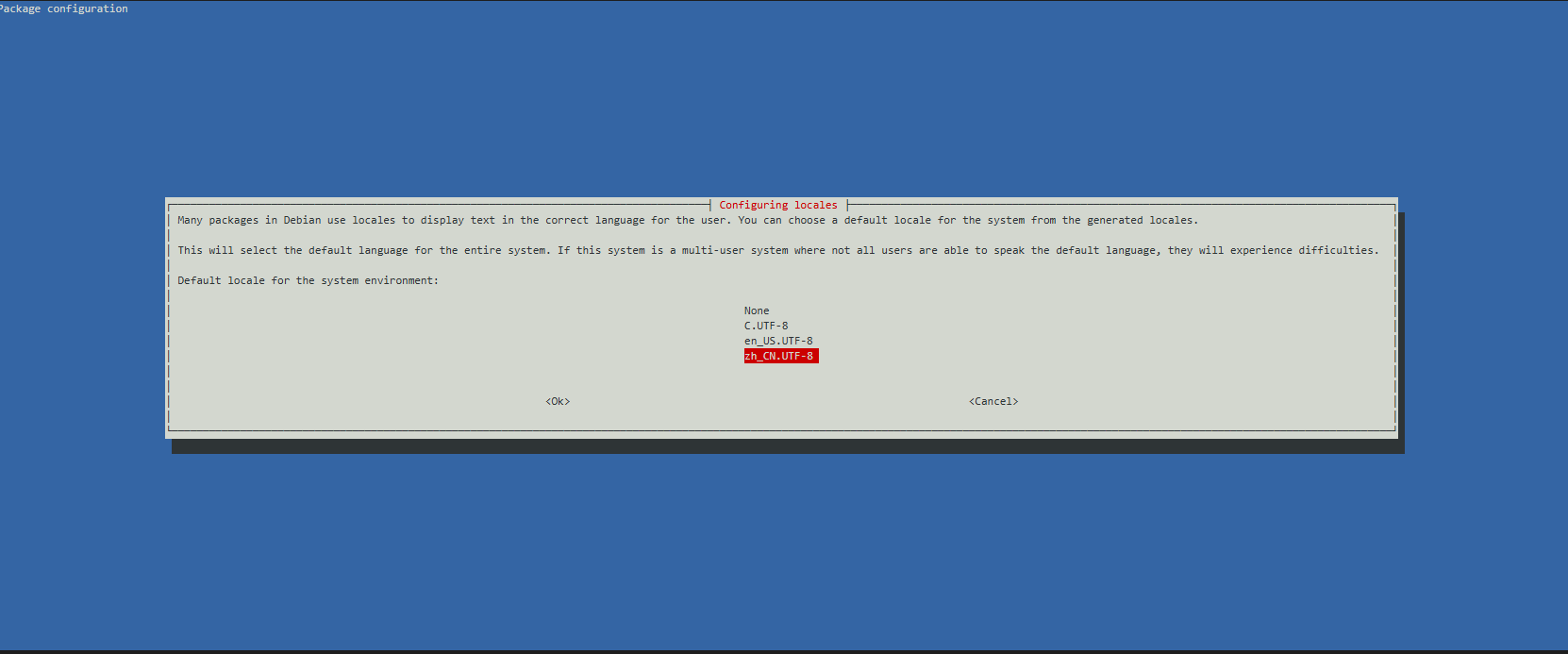 # 成功示例: 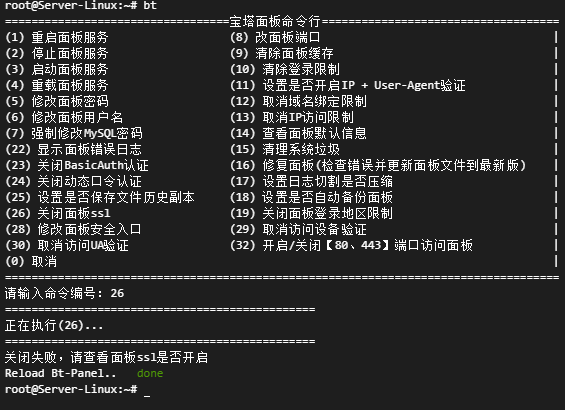 Loading... # 错误示例: ```shell sh: warning: setlocale: LC_ALL: cannot change locale (en_US.UTF-8) sh: warning: setlocale: LC_ALL: cannot change locale (en_US.UTF-8) /bin/bash: warning: setlocale: LC_ALL: cannot change locale (en_US.UTF-8) ```  # 解决办法: 1. **确保 locales 包已安装** ```shell sudo apt update sudo apt install locales ``` 2. **配置语言环境** 1. **执行以下代码配置语言环境** ```shell sudo dpkg-reconfigure locales ``` 2. **在出现的菜单中,选择:** en_US.UTF-8(英文)  3. **配置默认语言**(需要默认使用哪个语言就选哪个)  # 成功示例:  最后修改:2025 年 05 月 25 日 © 允许规范转载 打赏 赞赏作者 支付宝微信 赞 如果觉得我的文章对你有用,请随意赞赏